
Take Control of Your Amazon™ Spending
Track how much you spend on Amazon™ across 21 regional domains. Get warnings at checkout, lock purchases during set hours, and make smarter purchasing decisions.
Everything You Need to Track Your Spending
A comprehensive set of tools designed to give you full visibility into your Amazon™ purchases and help you build healthier spending habits.
21 Amazon™ Domains
Tracks spending across all major Amazon™ regional sites, from .com to .co.jp, .de, .it, and more. Aggregates totals by currency automatically.
Checkout Warning
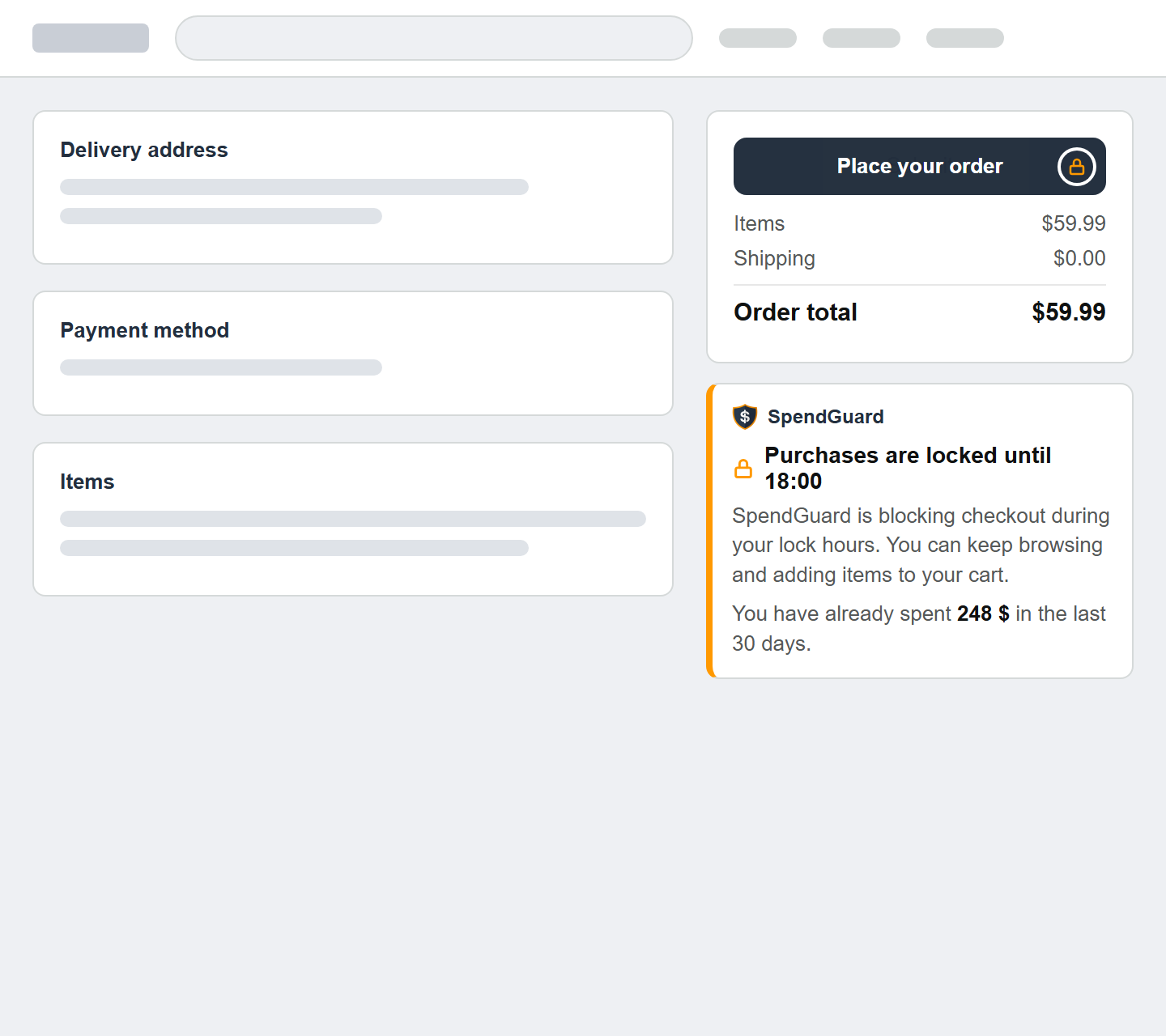
Displays a warning banner on Amazon™ checkout pages showing how much you've already spent, helping you think twice before completing a purchase.
Scheduled Lock
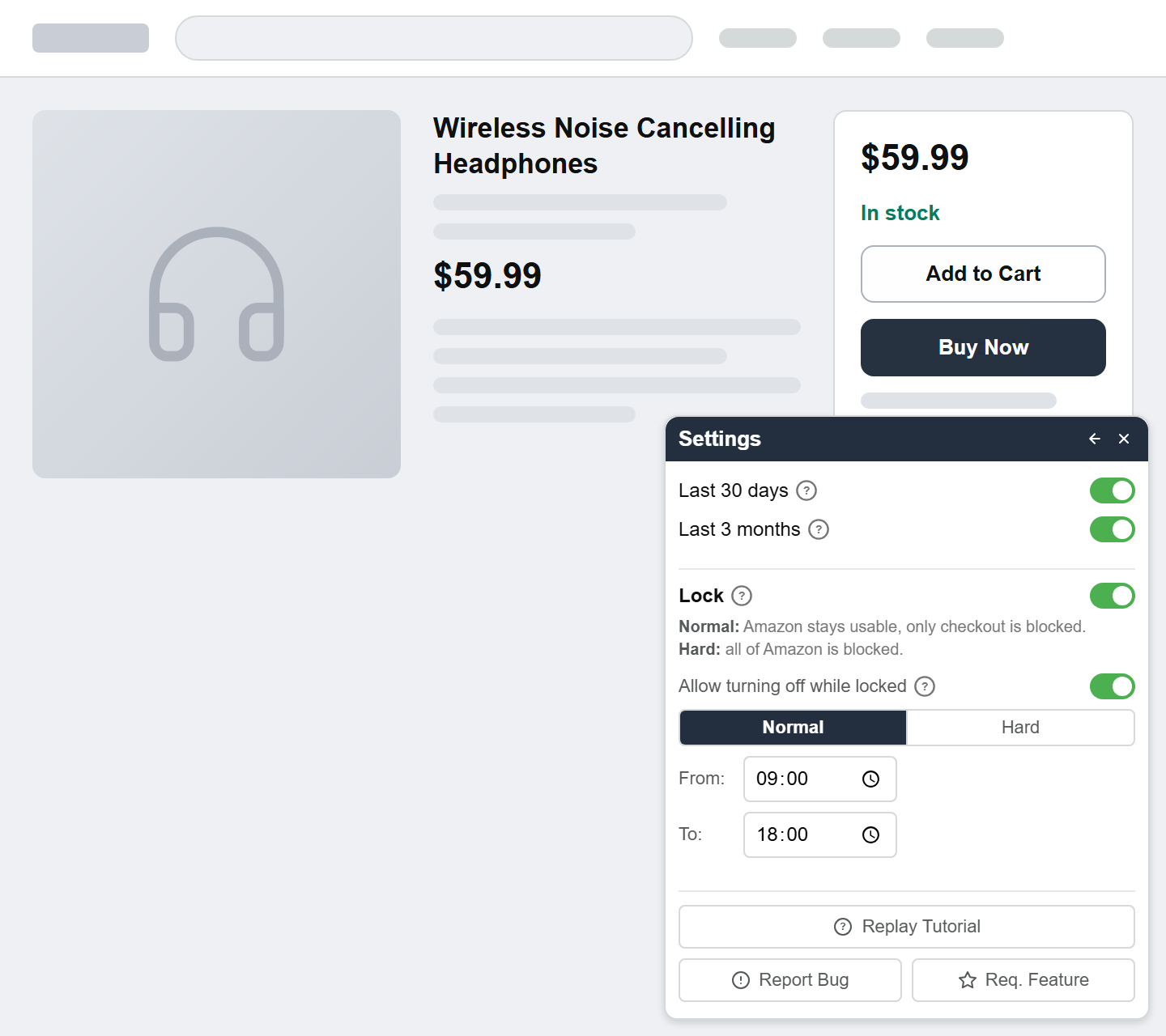
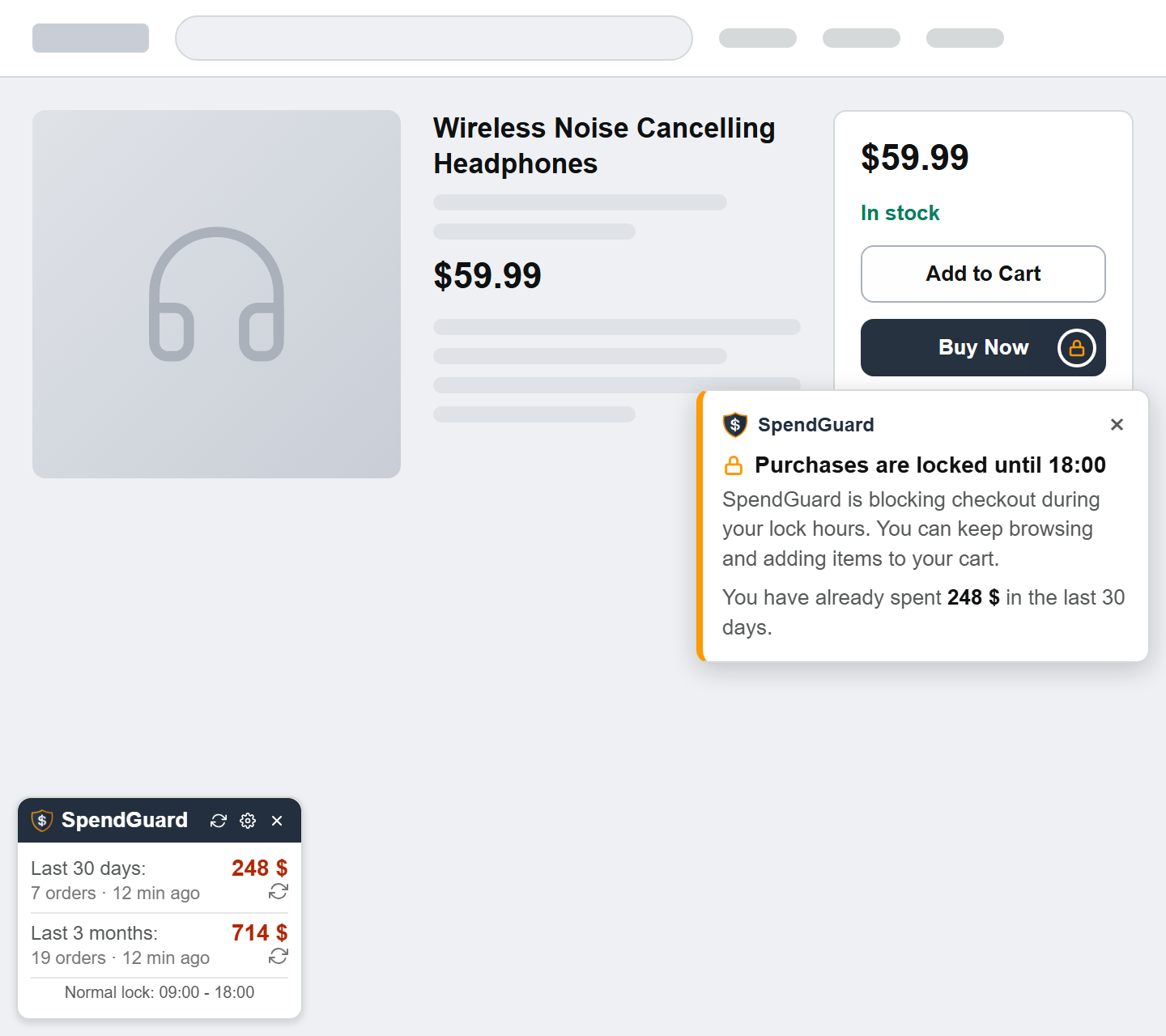
Pick your hours and a mode. Normal keeps Amazon™ usable but blocks checkout, showing what you've already spent. Hard blocks Amazon™ entirely with a full-screen countdown overlay. Choose whether the lock can be turned off before it ends.
Draggable Popup Widget
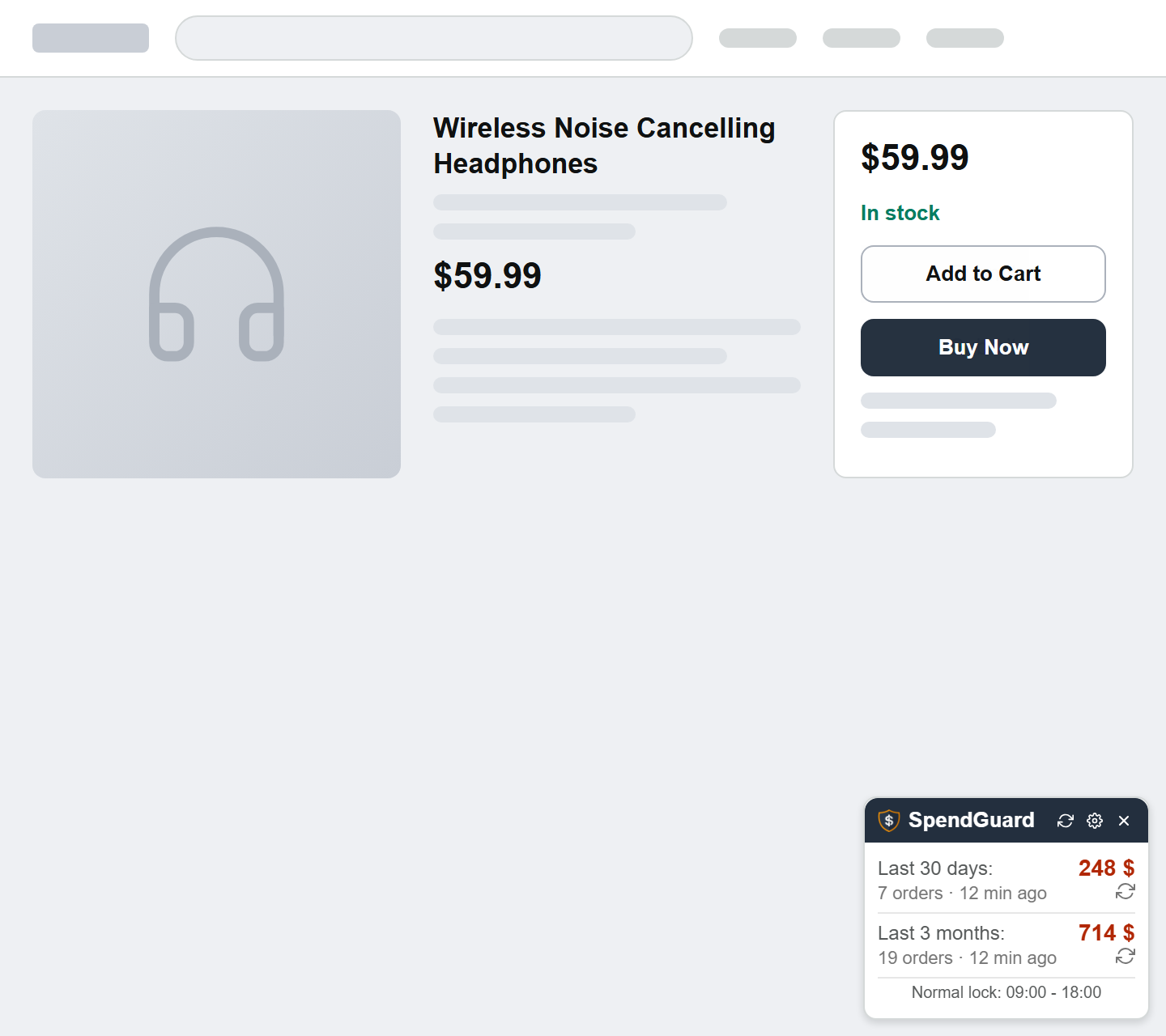
A floating on-page widget shows your 30-day and 3-month spending totals. Drag it, minimize it, or position it wherever you prefer.
Smart Caching
Scraped order data is cached for 24 hours to keep things fast. Force-refresh anytime to get the latest numbers instantly.
Guided Onboarding
A 7-step interactive tutorial walks you through every feature on your first visit, with spotlight highlights and keyboard navigation support.
See It in Action
A quick look at how SpendGuard for Amazon™ helps you track your spending, get checkout warnings, and lock your purchases.
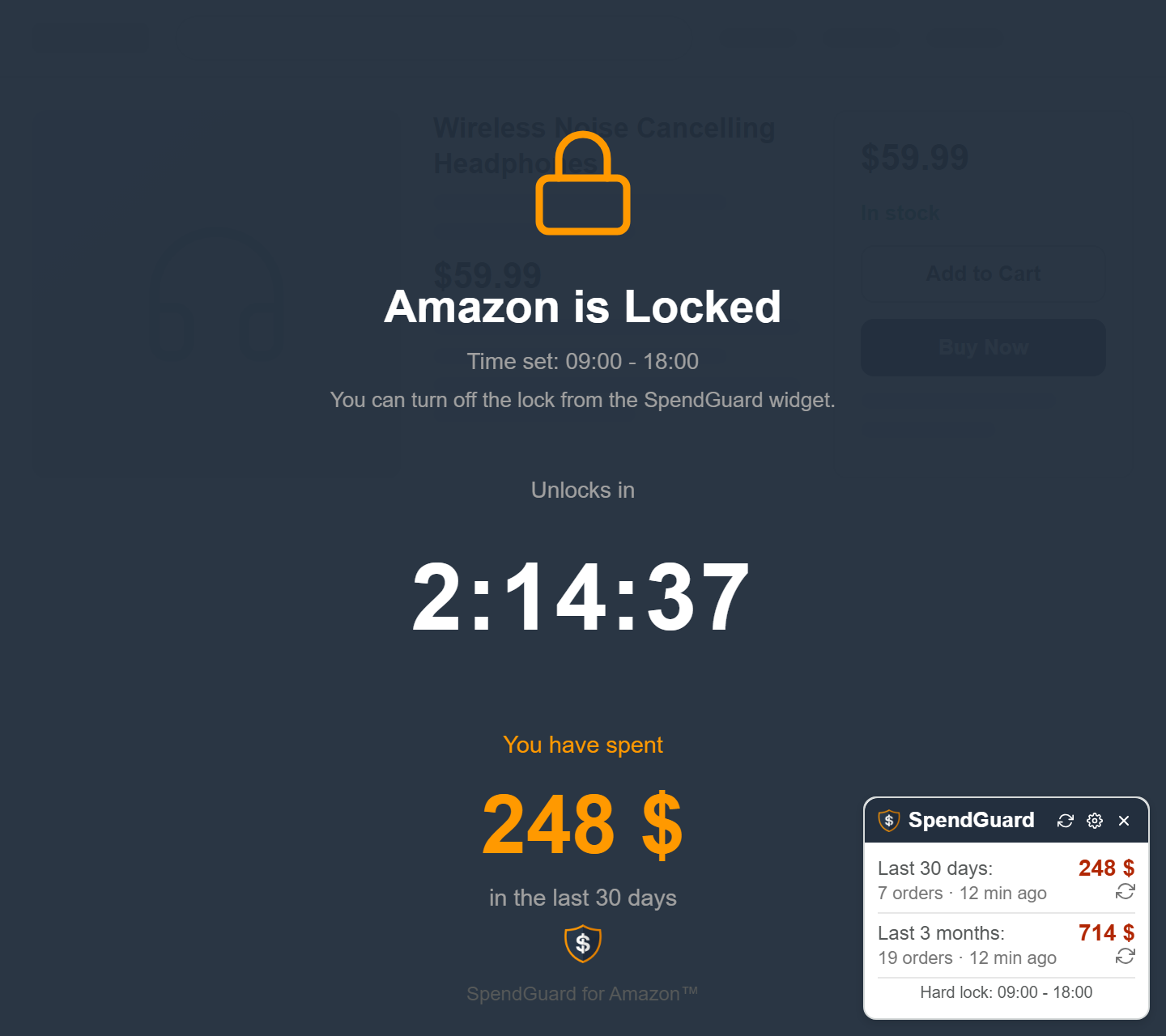
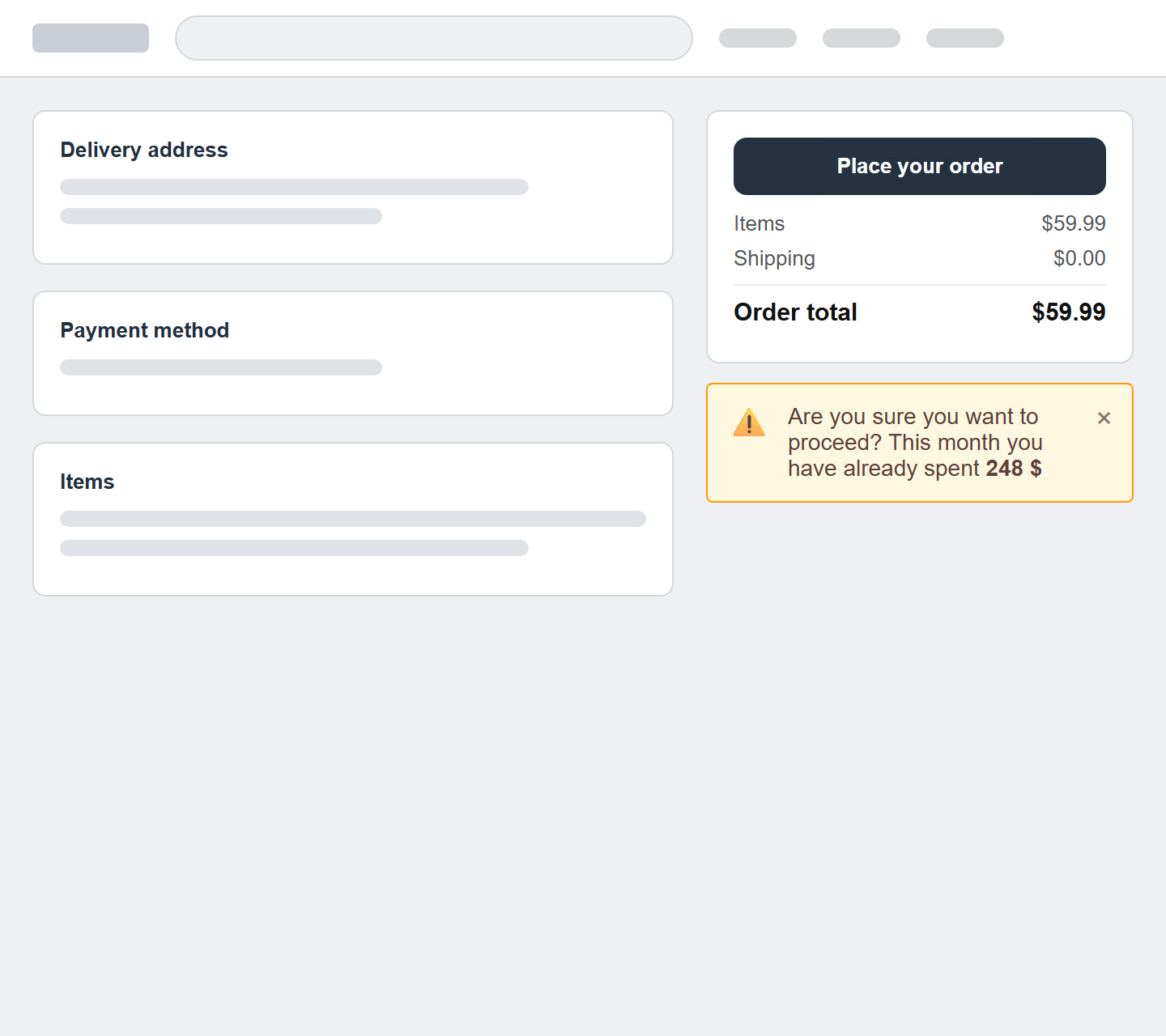
Screenshots use sample data.
Up and Running in 3 Steps
Install the extension, visit Amazon™, and let it work in the background. No configuration required.
Add to Chrome
Click the button above or visit the Chrome Web Store and add SpendGuard for Amazon™ to your browser.
Visit Amazon™
Navigate to any of the 21 supported Amazon™ domains. The extension activates automatically and begins scraping your order history.
Track Your Spending
View your 30-day and 3-month totals in the floating widget. Enable checkout warnings and the scheduled lock for extra control.
Your Data Stays With You
100% Local, Zero Tracking
SpendGuard for Amazon™ processes everything locally on your machine. Your order data is stored exclusively in Chrome's local storage and is never sent to any external server. There is no analytics, no telemetry, and no data collection of any kind.
- No external servers
- No analytics or tracking
- No personal data collected
- Open source & auditable